

 Open your profile.
 Copy your #PlayerTag.


 Default


Clash Royale Player Stats & Battle Log
Search by player tag or a Ranked Top 1000 name to inspect battles, decks, collection progress and recent performance.
Example account
Trainer Minipekka

Cards at max level
 Win Rate58%
 Three-crown rate44%
 Collection91%


This is an example, not a real player. Enter a player tag in the search above to see a real profile.
- 1Open your profile in Clash Royale
- 2Tap your player tag
- 3Tap Copy Tag
- 4Paste it into the search above
What you see for every player
- Battle LogLatest matches with opponents, decks and results.
 CollectionEvery card with level, upgrade progress and what is still missing.
 DecksThe decks played most, with win rate and upgrade costs.
- StatsWins, three-crown rate, donations and more at a glance.
- FavoritesSave players to reopen them with one tap.
More than a basic player profile
The player tools combine official Clash Royale profile and battle data in one place. They are designed both for checking another player and for following your own progress over time.
- Collection progressSee collected cards, card levels, Evolutions and Heroes, plus the Gold, cards and upgrades still required to reach the current maximum.
- Battle Log and recent win rateReview recent matches, opponents, decks and results, then use the statistics view to measure your current form across the battles still available from the API.
- Deck history and calculatorFind repeatedly played decks, compare their performance and calculate the resources still missing for a chosen eight-card deck.
- Save, copy and compareBookmark useful decks or favorite players, reopen them in this browser and use a deck link or QR code to transfer a complete deck to Clash Royale.
Where can I find my Clash Royale player tag?
Open your profile in Clash Royale and copy the code shown directly below your player name. It starts with a # and can be pasted into the search field above.
Why does player name search not find everyone?
Name search covers the current Ranked Top 1000. A player tag is unique and works for every profile available through the official API.
What a battle log can and cannot tell you
The battle log covers recent matches, not the full history of an account. That is enough to see current form and which decks are actually being played, but it is not a lifetime record, and a run of games is a small sample. A player who looks poor across ten battles may simply have met bad matchups; the same ten games a day later can read completely differently.
Reading win rate without fooling yourself
A win rate is only meaningful next to the number of games it was calculated from and the mode those games were played in. Ladder, challenges and casual matches are different environments, and averaging them produces a number that describes none of them. When comparing two players, check that you are comparing the same kind of games before drawing any conclusion.
Card levels explain more than the deck list
Collection progress and card levels are often the part that actually answers the question. Two accounts playing the same eight cards can experience entirely different games, because many interactions depend on a card surviving a specific hit or a spell finishing a specific unit. If a deck that works for someone else does not work for you, the levels are the first thing to check, and the Deck Builder can take yours into account instead of assuming maximum levels.
Clash Royale Clan Stats & War Log
Search a clan by name or tag to review its members, activity, donations, River Race and Clan War history.

Example clan
Team Mega Knight
 Members49/50
 Weekly donations5760
 War trophies2845

This is an example, not a real clan. Enter a clan tag or name in the search above to see a real clan.
- 1Open your clan in Clash Royale
- 2Tap the list icon in the blue bar
- 3Tap Copy Tag
- 4Paste it into the search above
What you see for every clan
- MembersEvery member with trophies, role, donations and last seen.
 River RaceThe current race with participants and weekly results.
- War LogPast wars with placement and trophy changes.
- DonationsWho gives and who only takes, at a glance.
| # | Name | Role | Trophies | Ranked | Donated | Received | Last seen |
|---|
Understand a clan beyond its score
Use the member table to sort players by trophies, Ranked progress, donations, received cards and last activity. River Race and War Log views add the current race, participants, weekly results and Clan War trophy development.
How can I identify inactive clan members?
Sort the member list by last seen and compare activity with donations and current progression. The values come from the latest clan response available through the official Clash Royale API.
Can I search by clan name?
Yes. A clan tag gives the most precise result, while name search lets you choose from matching clans.
Donations show habits, not skill
Donation counts are the clearest signal of routine participation: they accumulate through everyday activity rather than through good play. A member with high donations is present regularly. A member with almost none may still be a strong player, but they are not engaging with the clan, which matters more if you are looking for a group that functions together.
Judging a clan before you join
Score and trophy requirements say what a clan asks for; the war log says what it delivers. Look at how many weeks were actually completed rather than at the best single result, because River Race performance depends on people turning up consistently. A clan with a modest but unbroken record is usually a better place to land than one with a spectacular week followed by silence.
Activity gaps are normal, patterns are not
Individual members go quiet for a week for perfectly ordinary reasons. What is worth noticing is the shape across the roster: several members inactive at once, donations concentrated on a handful of people, or war participation resting on the same few names. Those patterns predict how the clan will behave next month far better than its current position does.
Best Clash Royale Decks
Compare decks used by the best Ranked players and find what is performing in the current Top Ladder meta.
Filter by card
Pick one card – only decks running it stay in the list. Greyed out cards are not played in the current meta.
How the meta deck list works
The Top 100, Top 200 and Top 1000 views are built from the same current Ranked sample. Exact eight-card decks are grouped so you can compare their score, number of players, recorded battles and win rate without mixing different deck variants together.
- Find proven decksStart with score for a balanced ranking, or sort by players, battles and win rate to answer a more specific question.
- Filter by a cardChoose a card to see only current Top Ladder decks that use it, including the exact Evolution or Hero form where available.
- Adapt the resultOpen the Deck Builder when you want recommendations for Trophy Road, Ultimate Champion, Top Ladder or your own card levels.
Why decks are grouped by all eight cards
Swapping a single card changes what a deck can answer. A shell that trades its small spell loses a specific set of interactions and gains another, so two lists that differ by one card are two different decks with different matchups, not one deck with a variant. Grouping on the exact eight-card combination keeps those apart. It makes the sample per entry smaller, but it means a win rate you read here belongs to the deck you would actually copy, rather than to an average across builds that play nothing alike.
Reading win rate, popularity and score correctly
These three columns answer three different questions, and the most common mistake is treating the highest win rate as the best deck. A high win rate on a small number of battles usually says more about the handful of players piloting it than about the deck. Those players reached the top of Ranked with a build they have refined for months; the number travels with the pilot, not with the card list.
Popularity has the opposite bias. A deck played by many people is a deck that is accessible, well documented and forgiving, often genuinely good, sometimes just familiar. Score exists to balance the two, which is why it is the default sort. Use win rate when you have already decided on an archetype and want the strongest current version of it, and use players and battles to judge how much confidence the number deserves.
Top Ladder is not mid ladder
This list is drawn from the top of Ranked, and that environment does not transfer to every trophy range unchanged. Cards that dominate lower down can be near-absent here: the Inferno Tower is a good example: it is a reliable answer to tanks in mid ladder and barely appears in Top Ladder, because opponents at that level play around it as a matter of routine. The reverse also happens, where a deck demanding precise placement performs well in this sample and frustrates everyone below it.
So treat the list as evidence about what survives against expert opposition, not as a ranking of what will win the most games for you tomorrow. If your card levels or your comfort with a deck do not match what you find here, the Deck Builder is the better starting point: it takes your mode, your collection and your levels into account instead of assuming the Top Ladder environment.
How current is the sample?
It reflects the Ranked leaderboard as it stands now, and it moves with the leaderboard. After a balance change the list needs a while to settle, because it shows what people are actually playing rather than what is theoretically strongest.
Why do some decks show few battles?
Because grouping is strict. A deck that only a few top players run will show a small sample, and its win rate should be read with that in mind rather than at face value.
Spooky Chess decks


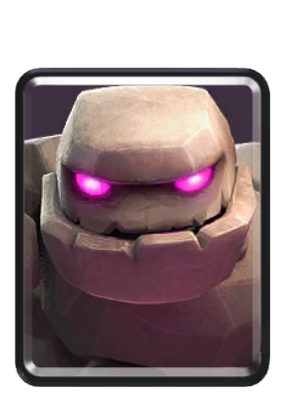
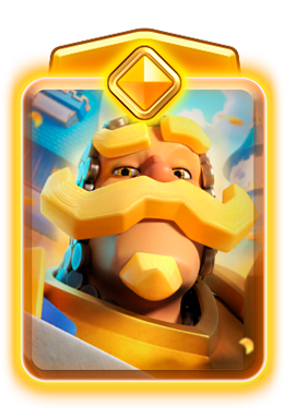
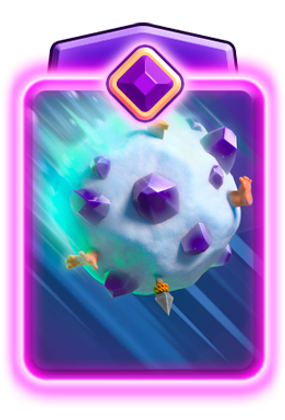
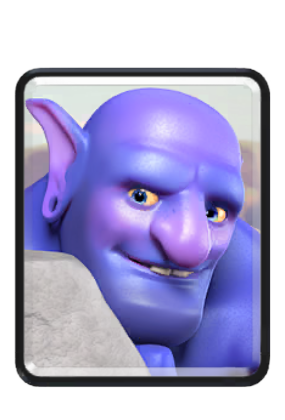
Decks built for Spooky Chess
Spooky Chess has a King Tower, a Princess Tower with a Mother Witch, and modified towers arranged like pieces on a chessboard. Spells can destroy these pieces, which makes this event very different from ordinary ladder play. Mirror is especially strong here.
Royal Recruits, Earthquake, Fireball, Rocket, Poison, Goblin Drill, Void, Lightning and Miner are banned in this event. These cards and their forms are greyed out in the selection. Every other card, Evolution and Hero is available at level 11 tournament standard, so you do not need a player tag.
Suggestions come from actual Spooky Chess battles. Leaderboard placement, unique players and win rate determine the order. Use card filters to find recorded decks that match your picks. The builder preserves their observed card combinations and forms.
Include finds decks with the cards you select. Exclude filters out decks using the forms you ban. Base cards, Evolutions and Heroes are filtered separately, so excluding a base card still allows its Evolution or Hero. The nine event bans apply to every form.
The four icons below each deck show its win rate, recorded battles, different players and best observed leaderboard rank. Draws are excluded from the win rate. Best rank is the highest placement observed for a player using that deck, rather than its position in this list.
Open Observed matchups to see the most frequently recorded opposing decks and how your selected deck performed against them. Wins, losses and draws describe the matchup from your deck's side.
The Princess Tower is fixed for this event and is included when you save or copy a deck. We collect battles hourly and update the deck weights as new records arrive. When the event ends, its recorded decks remain available as the basis for this builder.
Do my card levels matter?
No. All cards, Evolutions and Heroes are unlocked and use level 11 tournament standard.
Why are some cards greyed out?
The nine cards banned by Spooky Chess cannot be selected in any form.
How many decks do I get?
The builder starts with ten decks. Use More decks to see additional suggestions matching your filters.
What if no deck matches my filters?
Try fewer picks or bans. We show recorded Chess decks and do not invent an untested deck to fill the results.

Deck Improver
Analyze one of your decks and find focused card replacements without losing its core strategy.
Coming soonClash Royale Ranked Leaderboard
Search the current global Top 1000, switch to a country ranking, filter players by card and inspect their recent rank movement.
Filter by card
Reading the Ranked leaderboard
Ranked is the competitive ladder, and this list shows the top of it as the official API reports it right now. Positions move continuously while the season runs, so a rank you see here is a snapshot rather than a final standing. Toward the end of a season the top places tighten considerably, because the players holding them play fewer risky matches.
Global and local are two views of the same ladder
Both views come from the same Ranked ladder; what changes is the scope. The global list ranks everyone against everyone, while a local list narrows the same ladder to the players registered in one country, which usually means a far smaller pool. A player who sits comfortably in a national top ten may not appear in the global thousand at all, and that is not a contradiction: country entries also show the player's global rank alongside, so the two can be read together. Local rankings are the more useful view if you want to find people who play in your own time zone or follow a scene you already know.
What the card filter is actually for
Filtering the leaderboard by a card tells you who at the very top commits to it. That is a stronger signal than overall popularity, because these players choose decks knowing exactly what they will face. If a card you rely on barely appears here, it does not mean the card is bad: it usually means it struggles specifically against expert opposition, while remaining perfectly effective at the trophy levels most people play in.
Why top players are not a template
It is tempting to copy the deck of whoever is currently first. The results rarely transfer. Ladder at this level rewards decks that demand precise placement and punish small timing errors, and the player you copied has thousands of games with that exact list. The deck did not carry them there on its own. Use the leaderboard to understand what holds up against strong opponents, then check whether the same approach suits your card levels and the way you actually play.
Clash Royale Season End Leaderboard
The final Ranked standings of the season that just ended, kept here permanently, together with how the top ten spent their last hours before the season closed.

What this page keeps
When a Ranked season ends, the official API stops serving that season's standings altogether. The list of who finished where is simply gone, and there is no endpoint that brings it back. This page exists because the final table is recorded here before the season closes, then kept. What you see is the last state captured before the cutover, not a reconstruction.
Why the last two hours are shown separately
The closing hours of a season are the part nobody normally sees. Players who are close in rating push hard right at the end, and positions that looked settled can change several times in the final stretch. Because every ranked match reports the trophies a player started with and what the result changed them by, those hours can be drawn as an actual curve per player rather than a single end number.
Reading the standings
The rank and rating are the values that stood at the moment the season closed. The deck shown for a player is the last one they played in Ranked that season, which is not necessarily the deck they used for most of it, because a player may switch to something specific for the final push. Treat it as what they finished on, not as their season-long choice.
Clash Royale Clan Leaderboards
Compare clans by Clan War trophies or clan score, then narrow the ranking to a region or country.
| # | Clan | War trophies | Members | Location |
|---|
Clan rankings and what they measure
Clans can be ranked two ways here, and the two orders are genuinely different. Clan War trophies track how a clan performs in River Race weeks against other clans. Clan score reflects the standing of the clan as a whole. A clan can rank high on one and unremarkably on the other, so it is worth checking which ranking you are looking at before drawing conclusions.
War trophies reward consistency, not peaks
War trophies move after each War week, and whether they rise or fall depends on the finishing position and the league the clan is in: in higher leagues a mid-table finish can cost trophies rather than earn them, and a Colosseum week does not run a River Race at all. What the standing reflects over time is therefore participation as much as results: a clan that fields a full roster every week tends to hold its position, while one that wins occasionally and then goes quiet gives ground back. Read it as a record of how reliably a clan shows up rather than as a ranking of skill.
Member count is not the whole story
A full clan is not automatically an active clan, and a clan sitting at fifty members may be carrying several who have not played in weeks. The member count tells you how much room there is; it does not tell you how many people participate. If you are looking for a clan to join, the war history is the more honest indicator, because it shows results over time rather than a single moment.
Local rankings and why they matter
Filtering by location narrows the field to clans registered in one country. For finding a clan this is often more practical than the global list: war participation depends on people being online during overlapping hours, and a globally ranked clan whose core plays twelve time zones away is a poor fit no matter how good its record looks.
Clash Royale Event Leaderboards
Open an available event ranking and search its players. Event boards appear only when the official API currently provides them.
How event leaderboards work
Each event leaderboard belongs to a competition that ran for a limited window. The list is not restricted to what is live right now: the API returns current and past boards together, newest first, so you can open a finished event as well as a running one. A board whose event has ended simply stops changing. Because the source does not label them, whether a given board is still running is not always stated outright.
Why event standings differ from Ranked
Ranked measures sustained performance across a season. An event measures a much narrower thing over a much shorter time, often under modified rules, fixed decks or restricted card pools. Those constraints reshuffle which cards and which players do well. Someone dominating an event board is not necessarily near the top of Ranked, and a Ranked regular may not enter events at all.
Reading a board that is still running
While an event is live the ordering is provisional. Players who started late can still climb, and positions near the top usually move most in the final hours. Treat a mid-event standing as a progress report rather than a result. Searching by name or player tag is generally quicker than reading down the list, with one limit worth knowing: the search runs over the top 1,000 entries loaded for that board, so a player ranked below that will not be found even though they took part.
Modified rules change what is good
Because many events alter the normal conditions, deck advice from regular ladder does not carry over cleanly. A card that is unremarkable in Ranked can be dominant when everyone shares a fixed deck or when levels are equalised, and an expensive deck that would be unplayable on ladder can work when the elixir rules change. Judge an event board on its own terms rather than against the standard meta.
Giveaway
Enter for a chance to win a prize.
Clash Royale Free Rewards
Find currently available reward links, promotions and giveaways without mixing active claims with expired offers.
Expired rewards
These are over. The links still work, but you should not expect to get anything from them.
How to claim Clash Royale rewards safely
Each active entry explains what is available and opens the relevant Clash Royale or Supercell destination. Reward availability is controlled by Supercell or the promotion owner and can end before an external link disappears.
- Open an active reward.Use the claim button on the reward you want instead of copying links from an unverified comment or message.
- Check the destination.A game link may open Clash Royale directly; store and promotional rewards can open an official web page first.
- Confirm in the game or store.The final destination decides whether your account is eligible and whether the reward is still available.
Why is a reward listed as expired?
Expired entries are kept separately so you can recognize older promotions, but you should not expect their claim to succeed.
Can I be notified about new free rewards?
Yes. The optional notification form sends an email after a new reward goes live. It can be unsubscribed at any time.
Never enter your account password anywhere
Legitimate Clash Royale rewards are claimed either inside the game or through an official Supercell page, and neither ever asks for your password on a third-party site. Any page requesting login credentials in exchange for gems, chests or free items is a phishing attempt, regardless of how convincing it looks. The entries here link to official sources for exactly this reason: the link is the useful part, and nothing on this site needs access to your account.
Why timing decides whether a reward is worth it
Most promotions run for a limited window and quietly stop working afterwards, often without any visible notice. Some are also region-limited or tied to a specific event, so a working link is not a guarantee that the reward is available to you. Checking the period before spending time on a claim saves more effort than it costs.
What counts as a reward here
The list covers officially offered items and promotions: event rewards, code-based giveaways and time-limited Supercell offers. It deliberately excludes generators, free-gem services and anything promising currency outside official channels, because none of those are real. If something is not listed, the safest assumption is that it is not a legitimate offer rather than that it was overlooked.
Clash Royale Live Trackers & OBS Overlays
Open a tracker in your browser or add it to OBS. Each plug-in refreshes live Clash Royale data automatically after setup.


Streak
Track your wins, trophies and more!


Current Deck
Show your most recent played deck!


Challenge
Compete against other players and track your standings!


Merge Tactics
Display your Merge Tactics win streak!
Use every tracker in a browser or on stream
The overlays are regular browser pages linked to current API data. Keep one open next to the game for personal session tracking, or paste the generated URL into an OBS Browser Source for viewers.
- Streak trackerFollow wins, trophies, Ranked progress, league movement, challenge runs or all battles in one live session.
- Current deckShow the eight cards, Evolutions and average elixir from the searched player's most recent complete battle deck.
- Player challengeCompare multiple accounts by trophies, Ranked medals, challenge progress or session wins.
- Merge Tactics trackerTrack placements and session performance with a layout built for the auto-battler mode.
How the overlays are meant to be used
Each tracker is a normal web page, which is the whole point: any streaming software able to show a browser source can show it, and nothing needs to be installed. Open a page, leave it running, and it keeps itself current while you play. Because everything is driven by a player tag rather than a login, you can also point a tracker at an account you do not own, which is what makes them usable for casting and co-streams.
They follow finished matches
All of these read from the official API, and the API publishes a battle once it is over. Overlays therefore describe completed games, never the board currently in front of you. A deck appears after the first match played with it, and a streak advances once the win is recorded. This is worth telling viewers, because a display that has not moved for two minutes usually means a long game rather than a broken page.
Which tracker fits which stream
The win streak tracker suits a single player pushing a run and gives the audience a number to follow. The current deck overlay answers the question chat asks most, without interrupting play. The challenge board is for two to four accounts racing at once, so it fits tournaments and community events rather than a solo session. The Merge Tactics session tracker follows placements across a run, since a single round in that mode says very little on its own.
Choose the account
Choose a favorite or recent player, search the Ranked Top 1000 by name, or enter any player tag. The account is shown below for confirmation.
Choose what to track
Add it to your stream
Resets on its own after 4 hours without a battle. To start a fresh session sooner, add &reset=1 once, then remove it again.
What the win streak overlay shows
The tracker reads the chosen account's recent battles from the official API and derives the current run from them. Because the API publishes a match once it has finished, the overlay reflects completed games rather than the match in progress. A win appears shortly after the result is final, not while the crowns are still being counted.
Why a streak sometimes moves in jumps
If several games finish in quick succession the counter can advance by more than one at a time. That is the same behaviour, not a fault: the overlay is catching up with a battle log that gained multiple entries between two reads. For the same reason, a game you just finished may take a moment to appear.
Choosing what counts
Which battles should count is a real decision rather than a detail. Counting everything produces a number that ladder losses reset constantly; restricting it to one mode produces a run that means something specific but moves more slowly. Pick the setting that matches what you are actually showing your viewers, and remember that a streak is only interesting if the audience knows what it is counting.
Using it on stream
The overlay is an ordinary browser page, so any streaming software that can display a web page can display it. Keep the page open and it keeps updating on its own; there is nothing to restart between matches. Since it works from a player tag rather than a login, it also works for an account you do not own: useful for casting someone else's run.
Choose the account
Choose a favorite or recent player, search the Ranked Top 1000 by name, or enter any player tag. The account is shown below for confirmation.
Choose the game mode
Add it to your stream
Showing the current deck on stream
This overlay displays the eight cards an account most recently played, taken from the official battle log. It answers the question viewers ask most often without the streamer having to interrupt anything to explain what is in the deck.
It follows finished matches, not the live board
The API reports a battle after it ends, so the overlay shows the deck from the most recent completed game. If a deck is switched between matches, the change becomes visible once the first game with the new deck has finished. This is a property of the data source rather than a setting, and no overlay can work around it.
Why the game mode matters
Different modes produce different decks, and mixing them makes the display confusing. Choosing a mode keeps the overlay tied to what you are actually playing, so a casual game or a draft does not replace the ladder deck your viewers are following.
Reading card levels alongside it
A deck list on its own does not explain a result. The same eight cards behave very differently at different levels, and interactions that work at one level fail at another. If you want the full picture (levels, Evolutions and Heroes for that account) the player stats page covers it, and the Deck Builder can take those levels into account when suggesting alternatives.
Choose the players
Two players are enough, four is the maximum. Choose favorites or recent players, search the Ranked Top 1000 by name, or enter any player tag.
Choose what to compete over
Add it to your stream
Add &reset=1 once to start a fresh session, then remove it again.
Tracking two to four players at once
The challenge board compares several accounts side by side while they play, which is what a race or a small tournament actually needs. Two players are enough to run it and four is the maximum, so it fits a head-to-head as comfortably as a four-way event.
Everyone is measured on their own games
The board does not require the tracked players to face each other. Each account is read individually from the official API, so a race works even when everyone is playing separate matches at the same time: the usual format for a ladder challenge. Positions update as each player's games finish.
Setting a target everyone understands
A comparison is only readable if the goal is unambiguous. First to a number of wins, most wins in a fixed window and highest total are all reasonable, but they reward different behaviour: a race to a fixed number rewards consistency, while a timed window rewards volume and encourages risk near the end. Decide which one you want before starting, because switching midway invalidates the run.
Practical limits worth knowing
Because the data comes from finished matches, a player who is mid-game appears to be standing still until that game ends. Late in a close race this is very visible, and it is worth telling viewers rather than letting them read it as a stalled board. Adding a player requires their tag, not an invitation, so the participants do not need accounts here.
Choose the account
Works for every account and every league – the star count comes from the player profile. Choose a favorite or recent player, search the Ranked Top 1000 by name, or enter any player tag.
Add it to your stream
Add &reset=1 once to start a fresh session, then remove it again.
Following a Merge Tactics session
This overlay tracks progress in Merge Tactics across a session rather than a single game. The star count comes from the player profile, so it works for every account and every league without any additional setup beyond choosing who to follow.
Why a session view suits this mode
Merge Tactics results are placements rather than straightforward wins and losses, and a single round says very little. A run of games shows something a scoreboard cannot: whether the approach being played is holding up. For a stream that is the more interesting number, because it gives viewers a reason to keep watching past one result.
Reading progress honestly
Placements swing. A strong session can contain several poor rounds, and a weak one can open with a win. Watch the direction over a stretch of games rather than reacting to each result, and be aware that the display updates once a round has been recorded on the profile, so the current game is not yet part of what you see.
Where to look up the details
The overlay deliberately stays compact and does not explain the mode. If you or your viewers want the mechanics (rounds, economy, merging and positioning) the tutorial covers them properly, and the per-season reference shows which Ruler, troops, equipment and modifiers are actually available in the season being played.
This overlay is not built yet – we'll add it step by step.
Create your player
Pick a name and an emote: this is who you'll be in every lobby, draft and battle.
Choose your emoteClash Royale Draft Mini Games
Create a lobby for Geier Royale, Mega Draft or Imposter Royale, invite players and build creative decks together.
Choose your mode
How the modes work
Every mode builds one eight-card Clash Royale deck, because each round adds exactly one card. The deck is not played here: you take it into Clash Royale and play it against the other people from your lobby. What changes from mode to mode is how you are allowed to claim a card.
A lobby holds 2 to 15 players and open seats can be filled with bots. You decide how many card rounds are played and how long a single round lasts, and you either raise the difficulty, which shrinks the card pool, or use the card filter to choose exactly which cards may appear. Lobbies are public or private, private ones are entered with a lobby code, and people can join as players or as spectators.

Geier Royale
Everyone picks at the same time. Each round you choose one card and put a weight on it, and that weight is the elixir you bid.
- You have eight weights for the whole game, 1 to 8.
- A weight you have spent is gone and never comes back.
- If two players bid on the same card, the higher bid takes it.
- Equal bids are decided at random.
Because everyone bids at once, you are not only building your own deck, you are bidding against the others. Spending your 8 early wins one strong card but leaves you with nothing to defend yourself later, so it pays to watch which decks the others are building.

Mega Draft
No simultaneous bidding. One large card pool is open to everyone, and the players take turns removing a single card each. A card that someone has taken is gone for everybody else. This continues until every player holds a full deck.

Mega Draft: Hard Core
Again one large pool and eight rounds, but every round gives you a pick and a block.
- Pick: the card you want for yourself.
- Block: one card that nobody else may take this round.
- If someone blocked the card you picked, you do not get it. You receive a random card instead and the blocker scores a point.
- Points settle ties: when two players pick the same card, the one with more points takes it.
A block is therefore worth twice over. It denies someone a card right now, and it buys you priority in every conflict that follows.

Imposter Royale
Geier Royale with the same bidding, plus the impostor. Every round one card is secretly swapped for a different one, and by the end of a game two of your cards can be impostors. You can plan a deck, but you cannot rely on it staying the way you built it.
Geier Royale

Find your room
Search by lobby name or enter an invite code. Private lobbies require approval.
Available lobbies
0 foundSearch by name or show public lobbies.
Geier Royale
No pending requests
Previous decks
The decks from the completed round will appear here.
You can follow the lobby and completed decks. Private bids and player actions stay hidden.
Spectators can watch the chat, but only players can send messages.
Round 1 of 8
Prepare your deck3
Draft complete Clash Royale decks with friends
Create or join a multiplayer lobby, choose a playable mode and finish a full eight-card draft. Each mode changes how cards are claimed, blocked or secretly replaced.
- Geier RoyaleBid with weights from 1 to 8. The highest committed weight wins the card, so every early decision affects later rounds.
- Mega DraftTake turns selecting from one shared open pool, with optional card-pool settings for the lobby.
- Mega Draft: Hard CorePick and block simultaneously, use block points to settle clashes and adapt when the shared pool becomes tight.
- Imposter RoyalePlay the Geier format while one dealt card can secretly change into an impostor during a round.
Drafting is a different skill from deck building
Building a deck at leisure and drafting one under pressure reward different things. In a draft you cannot assemble the ideal list: you take what is offered, and every pick removes an option from someone else. A card that is unremarkable on ladder can be an excellent pick simply because it fills the role you are still missing, and a strong card can be the wrong choice if it duplicates what you already hold.
What to prioritise when picking
The same role inventory that makes a constructed deck work applies here, only faster. A draft deck without a win condition has no way to close a game, and a deck without an answer to air loses to whatever flies first. Take those before taking the individually strongest card: a collection of good cards that cannot cover each other's weaknesses loses to a plainer deck that is complete.
Playing with friends
Lobbies are made to be shared: create one, pass the link on, and draft together. Because everyone drafts from the same pool, the result is a match where the decks were shaped by the group rather than copied from a meta list, which tends to produce games that look nothing like ladder.
Saved Decks
No saved decks yet – tap the bookmark under a deck in the Battle Log to save it here.


